CleanTake vs Krisp: file cleanup is not real-time call noise cancellation
By Bronze · October 7, 2026 · 8 min read
The short answer: Krisp cleans up calls while they're happening — real-time, virtual mic, $8/month and up. CleanTake cleans up files after they're recorded — drag, drop, done, $0 forever. If your problem is "my Zoom call sounds bad," you want Krisp. If your problem is "my recorded file sounds bad," you want CleanTake. There is no overall winner here. Different jobs.
If you landed on this page by searching "Krisp alternative" because you want to clean up a finished recording — pause for 30 seconds before you sign up for anything. Krisp and CleanTake both remove noise. They do not do the same job. Comparing them head-to-head is like comparing a fire extinguisher with a smoke alarm: both deal with fire, completely different moments. This post exists so you pick the right one on the first try.
One more thing before we start: we could not test Krisp ourselves. We have no Krisp account and our comparison budget was $0 — the same $0 CleanTake costs — so there is no A/B shootout below, and we won't invent one. Everything about Krisp comes from krisp.ai and third-party sources, checked October 7, 2026. Everything about CleanTake comes from our own code and test runs.
Here's why this post even needs to exist: search "Krisp alternative open source" and every result assumes you want another live-call tool — GitHub repos for real-time pipelines, listicles of meeting apps. Nobody addresses the person holding a finished file. That person keeps signing up for trials of call tools, discovering the mismatch three days later, and churning. If that's you, this page just saved you a week.
The one-sentence difference
Krisp removes noise from the call you're on right now. It sits between your microphone and Zoom/Teams/Meet as a virtual device, scrubbing audio in real time — yours and the other person's.
CleanTake removes noise from the file you already recorded. Drop an mp3, wav, or mp4 in; get the same file back with clean audio. There is no real-time anything.
Same wheels, different vehicles. Both use AI noise models under the hood. The moment they operate in — live call vs. finished file — is entirely different, and that one difference decides everything below.
What Krisp actually does (verified October 7, 2026)
Krisp's core is real-time AI noise cancellation in both directions: your microphone and the incoming speaker audio. It works as a virtual mic/speaker, bot-free, with Zoom, Teams, Google Meet, and friends. Around that core, krisp.ai lists transcription, AI meeting notes and action items, accent conversion, and call recording — it has grown from a noise tool into a meeting assistant.
One genuinely good design decision: per krisp.ai, the noise cancellation itself runs on-device. Your call audio doesn't take a round trip to process the noise out.
Pricing, from krisp.ai/pricing, checked October 7, 2026:
- Free: limited minutes per day. Third-party sources disagree on the exact cap (60 min/day vs. 60 min/week), so check krisp.ai/pricing at the time you read this rather than trusting a roundup.
- Trial: 7-day free trial of the paid plans.
- Core: $8/user/month billed annually ($16 month-to-month).
- Advanced: $15/user/month billed annually ($30 month-to-month).
- Enterprise: custom pricing.
So the cheapest real way into Krisp is $8/month paid yearly — $96/year. Third-party review aggregators put it around 4.6/5 on G2, which for a utility in this space is strong.
Practical advice if you're on the fence: the 7-day trial is the honest way to evaluate it. Run it through your actual worst calls — the café, the open office, the dog — not a quiet test. Real-time tools live or die on your worst 10%, and a week of real calls tells you more than any review.
What CleanTake actually does
Four lines, because that's all there is:
- Free and open-source. $0, forever, no account, no trial clock.
- One job: noisy file in, clean file out. mp3, wav, or mp4.
- 100% on your machine. DeepFilterNet for the denoise, ffmpeg for the plumbing, loudness leveled after. Nothing is ever uploaded anywhere.
- No subscription, no credits, no caps. Process one file or one thousand.
The numbers, from our own test clip (steady environmental noise — fan/AC-type hum): noise floor −33dB → −59dB, voice untouched. It also handles mp4 video: the video stream is copied bit-for-bit, only the audio track gets replaced — tested October 7, 2026, because someone asked "but what about my screen recordings?"
The honest limits, same as always: it removes steady environmental noise. It will not fix clipped or distorted audio — a denoiser is not a necromancer — and it cannot separate overlapping voices in a crowded café. We tested that; it failed; we say so.
(For the full demo with the 25-second before/after player, see article 01.)
Job-to-be-done table — which tool for which moment
Forget feature matrices for a second. Think about the moment you're actually in:
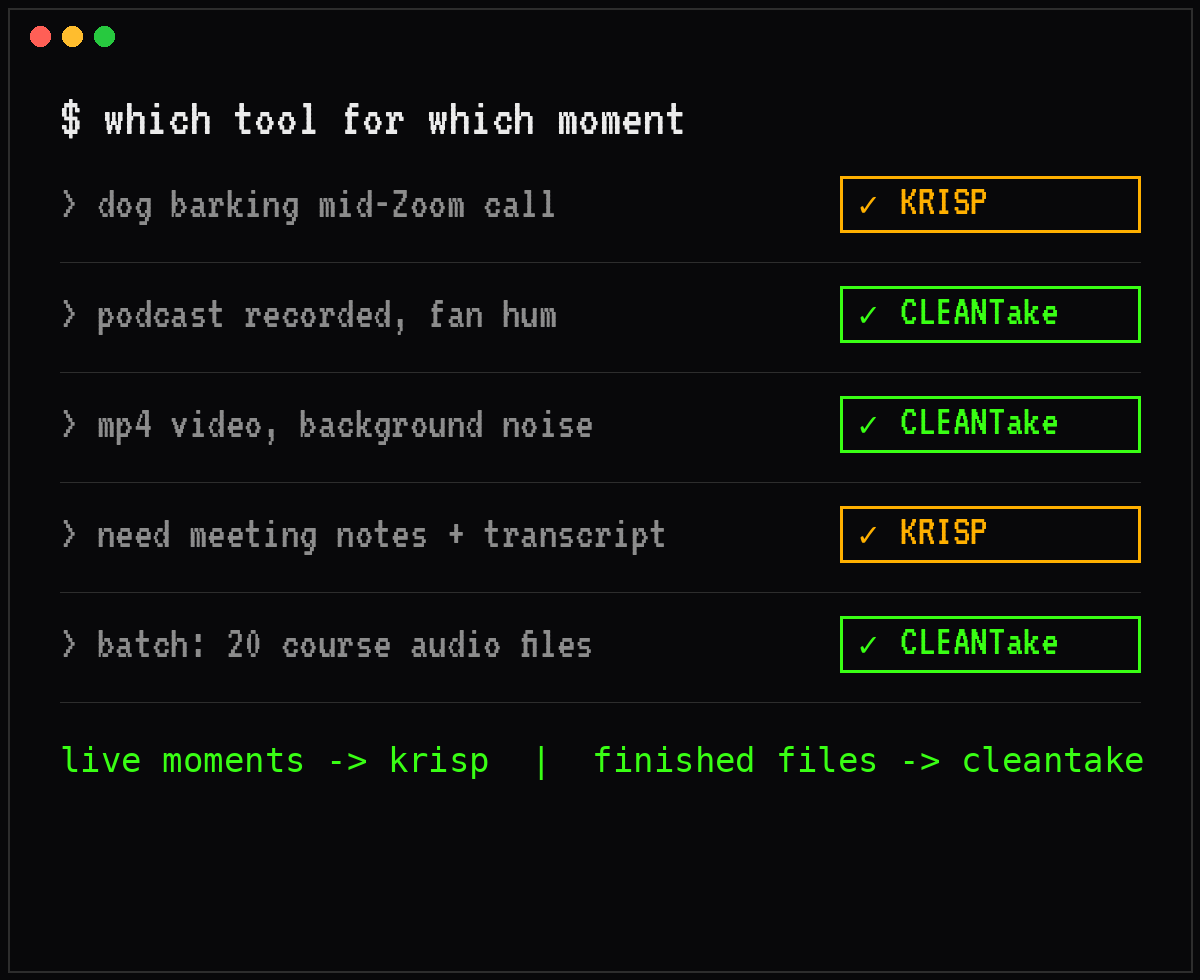
| Your moment | Pick |
|---|---|
| Dog barking in the middle of a Zoom call | Krisp — it's the only one of the two that works live |
| Podcast episode recorded, fan hum underneath | CleanTake — drop the file in, done in seconds |
| Screen recording / mp4 with background noise | CleanTake — video stream untouched, audio replaced |
| You need meeting notes and a transcript automatically | Krisp — that's its meeting-assistant side |
| A batch of 20 course audio files to clean | CleanTake — no per-minute caps, no credit meter |
Notice the pattern: live moments go to Krisp, finished-file moments go to CleanTake. If you remember nothing else from this post, remember that sentence.
The overlap zone (honest)
Is there a moment that needs both? Sure — picture a course creator: four hours of Zoom coaching calls a day, plus a recorded video course on the side. Run Krisp on the calls, run CleanTake on the course files. No free tool does both jobs, and pretending one does would be the brochure talking. Two tools, two moments, zero conflict.
A design note, not a tested claim: Krisp is built around live calls — virtual devices, real-time pipeline. Feeding it a WAV file to clean isn't its workflow and was never meant to be. Conversely, asking CleanTake to help during a live call is asking a file processor to be a live wire. Respect what each thing was built for.
Who should pick which — the 60-second decision guide
Pick Krisp if: you spend your day on calls and want them clean without thinking about it · you actually want the meeting notes, transcripts, and action items · $8/month doesn't make you flinch.
Pick CleanTake if: your problem is finished files, not live calls · you won't upload your audio anywhere — client work, unreleased content, or just principle · your enemy is steady environmental noise (fans, AC, electrical hum, room tone).
Pick neither if: you need to separate overlapping voices in a crowd — neither tool does this well, and anyone who tells you otherwise is selling something · you need to rescue clipped, distorted audio — that's damage, not noise, and no denoiser reverses it.
Try the file-cleanup side free
If your moment is the finished file: download CleanTake v1.0.1 — Windows installer or portable ZIP, free. The install guide takes about two minutes, and article 01 has the 25-second demo if you want to hear it before you install anything.
If your moment is the live call: krisp.ai — plain link, no affiliate cut. Start with the trial and see if the real-time cleanup earns its $8/month on your actual calls.
FAQ
Is CleanTake a Krisp alternative?
Only if your job is cleaning finished files. For live calls — the thing Krisp was built for — no. A file processor is not a substitute for a real-time virtual mic, and we'd rather tell you that than take your click.
Is Krisp free?
There's a free tier with a daily minutes cap, but third-party sources disagree on the exact number — check krisp.ai/pricing at the time you read this. Paid plans start at $8/user/month billed annually ($16 month-to-month), per krisp.ai/pricing checked October 7, 2026.
Does Krisp upload my calls?
Per krisp.ai, the noise cancellation itself runs on-device. For the newer AI features (transcription, meeting notes), check their privacy docs — cloud involvement varies by feature, and we won't guess.
Can CleanTake clean up a Zoom recording?
Yes — after the call ends. Drop the recorded mp4 in, get the same video back with clean audio (video stream copied bit-for-bit, tested October 7, 2026). It can't help during the live call itself.
Can I use both Krisp and CleanTake?
Yes. Krisp on the calls, CleanTake on the files. Different moments, no conflict, no rivalry required.
Related: Free local audio denoiser · CleanTake vs Descript Studio Sound
Prices and plan details for Krisp verified on krisp.ai/pricing, October 7, 2026. Krisp may change pricing — check their site for the latest. CleanTake numbers from our own test runs.